Buffering Issues
First things first this service is not perfect and never will be, there many factors that could affect buffering and issues on our end. These include:
The source we are using is down or there are issues on there end, all we can do is change sources if there is another available.
Overload on server with too many people watching. There are usually multiple options for each channel, so please try other channel options if you can.
We will do our best to fix the issue, but keep in mind sometimes there is nothing we can do!
For the most part there the channels will work as long as the internet it good, you may see the odd buffer but usually they are few and far between.
If you are having buffering issues the first thing you need to do is a speed test within the app and make sure you are getting good download speed. Follow the steps below.
-
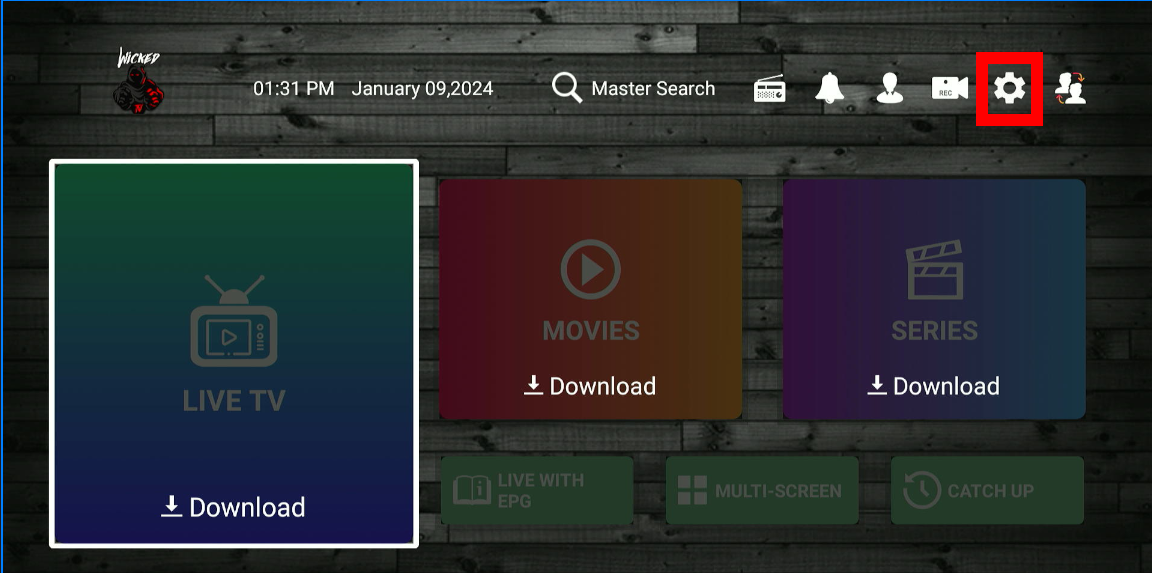
1. On the main screen of the app go to settings in the top right corner.
-
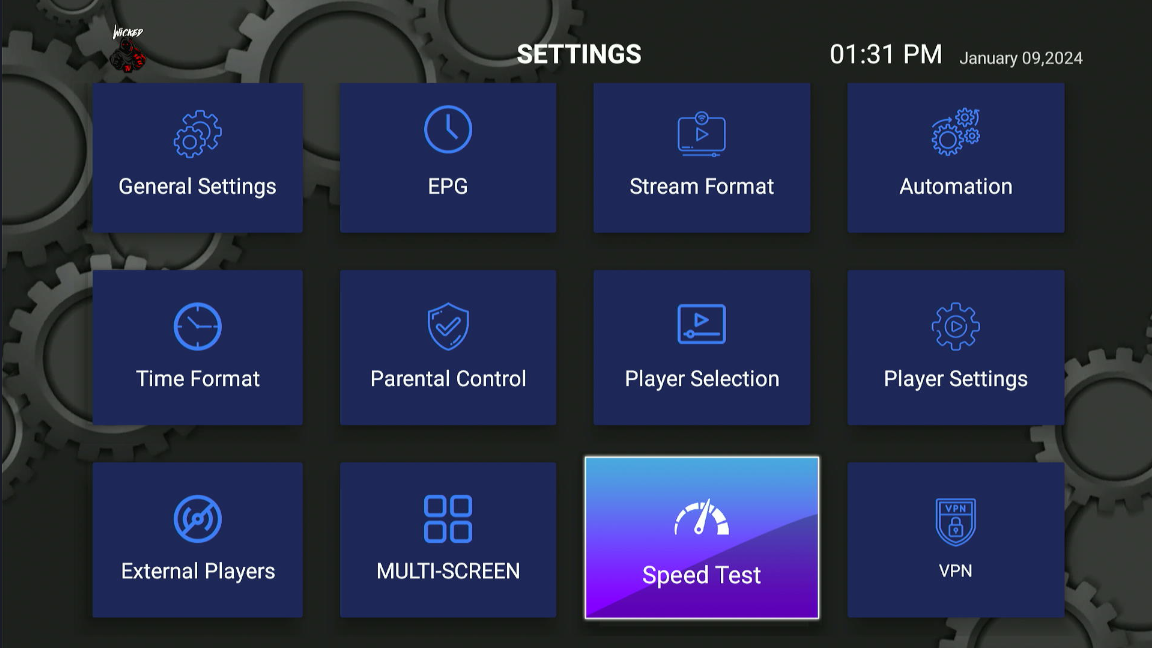
2. Find and click speed test
-
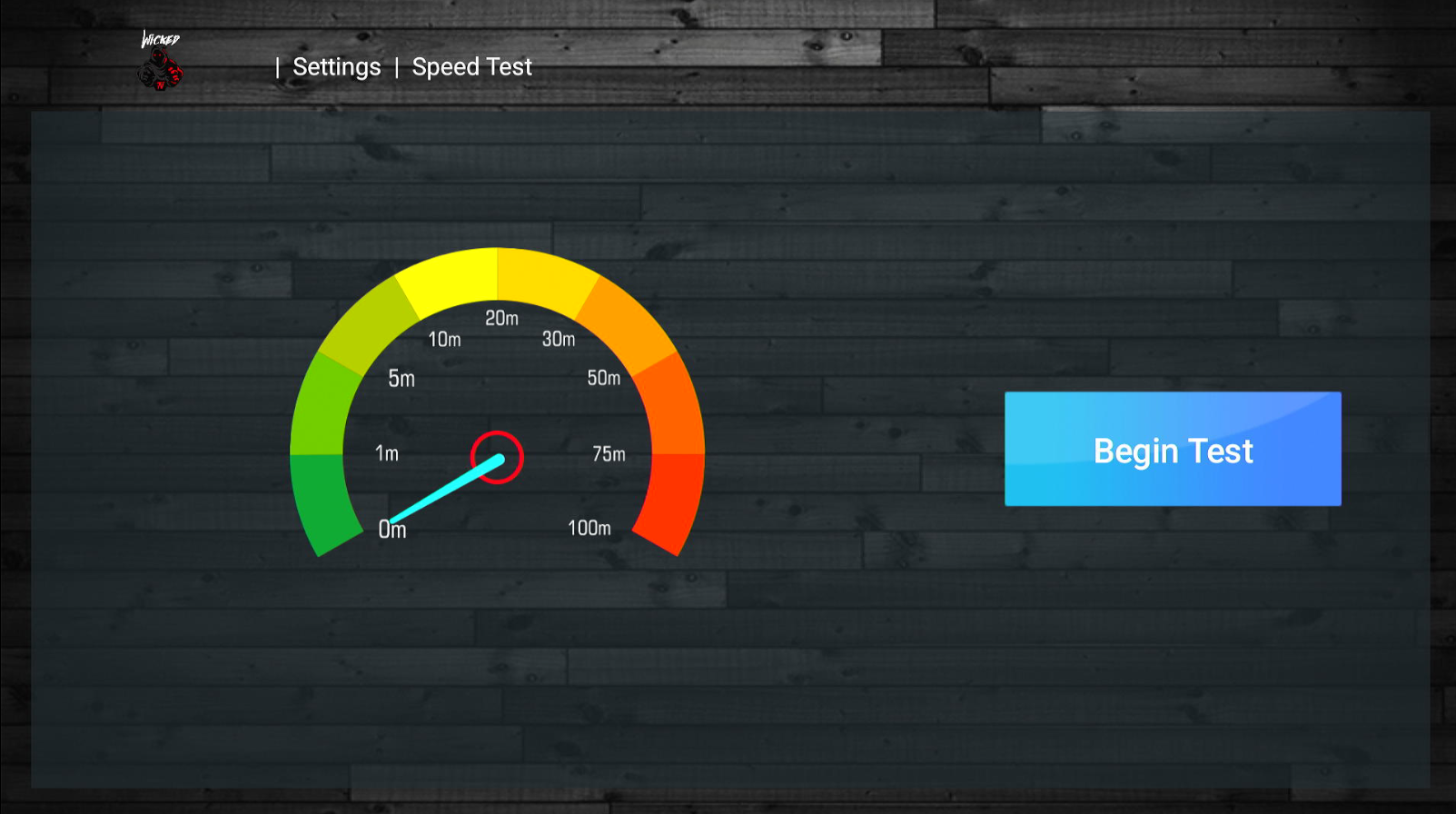
3. Begin the speed test
-
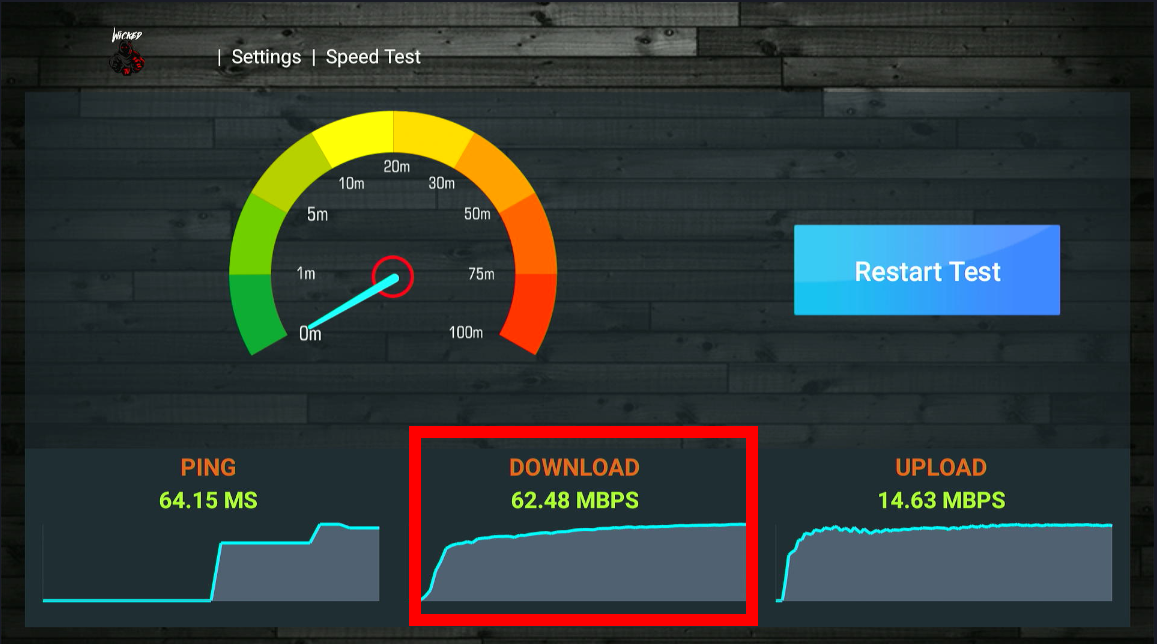
4. After test is complete check the download speed, at minimum you want 20mbps, but ideally, its above 30 or more.
If your speed is low, below or some of the reasons and solutions to fix the problem.
If you speed is good and you are still having buffering issues, there are usually multiple versions of the channel or stations with it on, please try those first.
If you are still having buffering issues please report the issue.
Limited Internet Plan
The most straightforward reason could be the bandwidth limitations of your current internet plan. Streaming services, especially in high definition or 4K, require substantial bandwidth. If other devices are using the internet simultaneously, this can further strain your available bandwidth.
Wi-Fi Interference
Wi-Fi signals can be significantly affected by interference. Common sources of interference include other wireless networks in the vicinity, household appliances like microwaves, and physical obstructions like walls and floors.
Distance from Router
The further your Firestick is from your Wi-Fi router, the weaker the signal strength, which can lead to slower speeds and a less reliable connection.
Device Overload
If too many devices are connected to your Wi-Fi network, it can overload the router, leading to decreased performance.
Suggestions to Improve Internet Speed on Firestick
Upgrade Internet Plan
Consider upgrading to a higher-speed internet plan that can comfortably handle your streaming needs.
Minimize Wi-Fi Interference
- Move your router to a more central location in your home.
- Keep it away from other electronic devices and large metal objects.
- Change the Wi-Fi channel on your router to a less congested one.
Optimize Router and Firestick Placement
Place the Firestick and router closer to each other and ensure there are as few obstructions as possible.
Use a Wi-Fi Extender/Booster
A Wi-Fi extender can boost the signal strength in areas of your home that are far from the router, providing a more stable connection to your Firestick.
Limit Device Connections
Disconnect or turn off devices that are not in use to reduce the load on your network.
Update Hardware
Ensure your Firestick and router firmware are up to date. Consider upgrading to a more modern router that supports the latest Wi-Fi standards.
Additional Considerations
- Check for Firestick Updates: Regularly check for and install updates for your Firestick, as these can include performance improvements.
- Restart Devices: Sometimes, simply restarting your Firestick and router can resolve speed issues.
- Network Congestion: Be aware of peak usage times in your area, which can affect overall internet speed.
- Quality of Service (QoS) Settings: If your router has QoS settings, prioritize your Firestick to ensure it gets a larger share of bandwidth.
By addressing these factors, you can significantly improve your Firestick's internet speed and enjoy a smoother streaming experience.